
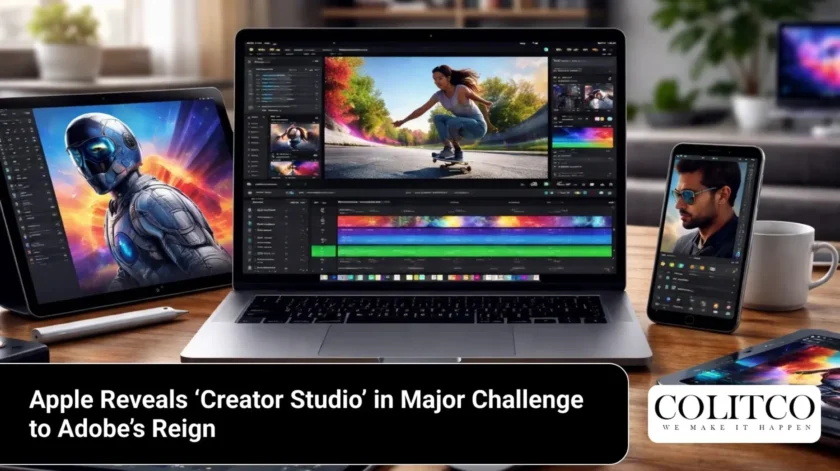
Apple announced a software bundle on 13 January 2026. This collection bears the name Apple Creator Studio. The suite combines several production applications into one subscription. It targets the market currently held by Adobe Creative Cloud.
The bundle provides tools for video, audio, and image work. Apple aims to simplify the workflow for users across Mac and iPad. This move represents a shift in the service strategy of the company.
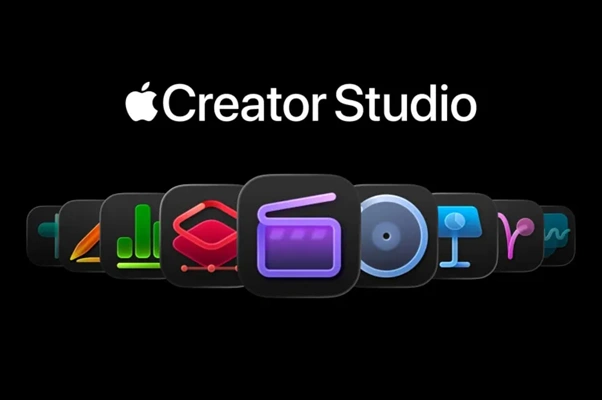
Pricing and Subscription Details in Australia
Apple set the monthly price at $19.99 AUD for Australian users. An annual subscription costs $199 AUD. These rates place the service below the cost of Adobe Creative Cloud.
- Monthly cost: $19.99 AUD
- Annual cost: $199 AUD
- Education monthly cost: $4.49 AUD
- Education annual cost: $45 AUD
The education discount supports students and educators in Australia. Subscribers gain access to apps on both Mac and iPad. The company offers a one-month trial to new users.
Core Applications in the Bundle
The suite includes six primary applications for production tasks. Final Cut Pro handles video editing requirements. Logic Pro serves the needs of music producers. Pixelmator Pro manages image editing and design.
- Final Cut Pro (Mac and iPad)
- Logic Pro (Mac and iPad)
- Pixelmator Pro (Mac and iPad)
- Motion (Mac)
- Compressor (Mac)
- MainStage (Mac)
Subscribers download these tools through the Mac App Store. These apps share a unified billing system. Apple maintains the option for one-time purchases for Mac versions.
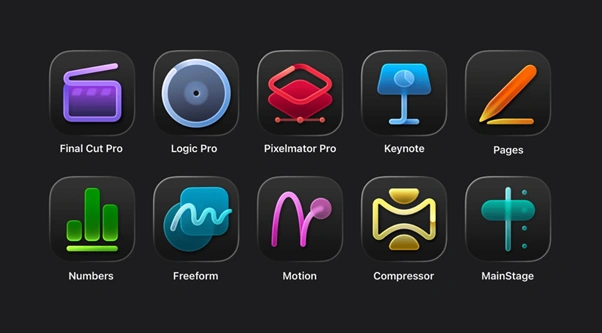
Core Applications of Apple Creator Studio
Video Production with Final Cut Pro
Final Cut Pro receives updates to improve speed and efficiency. The software utilises Apple silicon to process high-resolution footage. A tool called Transcript Search allows editors to find dialogue.
Editors type keywords to locate specific moments in clips. Visual Search identifies objects and actions within the video library. These features reduce the time spent on manual sorting.
Music Creation in Logic Pro
Logic Pro introduces tools to assist with composition. The Synth Player generates performances based on user settings. This feature responds to chord progressions and complexity levels.
- Chord ID for audio analysis
- Synth Player for electronic tracks
- Natural language search in the Sound Browser
- Refreshed Sound Library with curated packs
The software converts audio recordings into editable chord tracks. This automation helps artists build foundations for songs. Logic Pro for iPad supports touch-based editing and mixing.
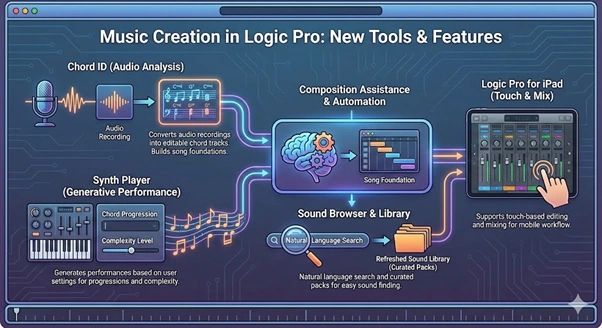
New tools and features in Logic Pro
Image Editing and Pixelmator Pro
Pixelmator Pro debuts on the iPad through this bundle. This application brings layer-based editing to the tablet. It supports the Apple Pencil for precision work.
The software includes a Warp tool to reshape layers. Users can create product mockups with this feature. The iPad version mirrors the capabilities of the Mac version.
Integration with Productivity Apps
Apple includes premium features for the iWork suite. Keynote, Pages, and Numbers receive content and tools. These apps remain free for standard users.
- Premium templates in Keynote
- Curated asset hub for Pages
- Magic Fill for formulas in Numbers
- Early access to beta features
Subscribers access a Content Hub with photos and graphics. This hub provides assets for presentations and documents. The company plans to add Freeform features later this year.
Intelligence and Automation Features
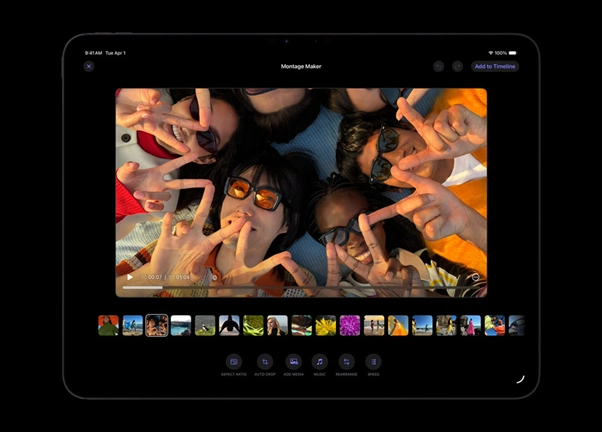
The suite employs models to automate routine tasks. Montage Maker on iPad assembles video edits from footage. It identifies the best moments to create a draft.
Beat Detection in Final Cut Pro aligns cuts to music. It displays a beat grid on the project timeline. This tool uses technology from the Logic Pro engine.
Technical Requirements and Compatibility
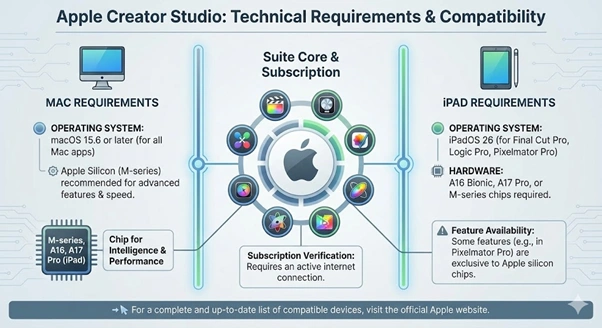
The software requires specific hardware and operating systems. Final Cut Pro for Mac needs macOS 15.6 or later. The iPad version works on devices with the A16 chip.
- macOS 15.6 for Mac applications
- iPadOS 26 for Pixelmator Pro on iPad
- A16, A17 Pro, or M-series chips for iPad apps
- Internet connection for subscription verification
Pixelmator Pro on iPad requires iPadOS 26. Some features only run on Apple silicon chips. The company provides a list of compatible devices on the website.
Technical Requirements and Compatibility
Official Statement from Apple
Eddy Cue shared the vision for the new service. He holds the position of Senior Vice President at Apple. The announcement included a specific quotation regarding the goals of the suite.
“Apple Creator Studio is a great value that enables creators of all types to pursue their craft and grow their skills by providing easy access to the most powerful and intuitive tools for video editing, music making, creative imaging, and visual productivity, all levelled up with advanced intelligent tools to augment creativity while protecting user privacy.”
The quote emphasises the focus on privacy and accessibility. Apple prioritises the protection of user data during processing. All intelligence tasks happen on the device.
Market Competition and Impact
This launch directly challenges the dominance of Adobe. Many creators currently pay for Creative Cloud subscriptions. Apple offers a cheaper alternative for Mac and iPad users.
The bundle strategy locks users into the hardware ecosystem. Designers often rely on Photoshop and Premiere Pro. Pixelmator Pro and Final Cut Pro now serve as rivals.
Also Read: Inflation Refuses to Budge Despite Fed Cuts, Leaving Trump on Defensive Over Living Costs
Family Sharing and Team Access
Apple supports Family Sharing for the subscription. Up to six members share the access for one price. This feature increases the value for small teams and households.
- Six family members per subscription
- Individual accounts for each user
- Shared billing through one Apple ID
- No extra cost for additional members
Teams can collaborate using these tools across devices. The iPad and Mac versions support file sharing. This facilitates a mobile and desktop workflow.
Future Plans and Updates
The company intends to add more features to the suite. Freeform will receive updates later in 2026. These updates will include premium content for subscribers.
Apple will update the apps regularly through the App Store. One-time purchase users will receive standard updates. Only subscribers get the intelligence-based tools.
Availability and Launch Date
The service launches on Wednesday, 28 January 2026. Users find the sign-up option in the App Store. Apple offers three months free with new hardware purchases.
Purchases of a Mac or eligible iPad trigger this offer. Existing subscribers of Final Cut Pro for iPad will transition. The company provides details on the migration process.