Apple has started pushing out the iOS 26.2 update, bringing a mix of interface adjustments, app upgrades, and system fixes. The release focuses on usability and stability rather than headline-grabbing changes, while similar updates are also landing on iPad, Mac, Apple Watch, and Vision Pro.
https://youtu.be/vP3TymyfXbY?si=93Eei_bMuOGJ2B2O
More control added to Liquid Glass design
The iOS 26.2 update continues Apple’s quiet recalibration of its Liquid Glass interface. Users can now change the transparency of the Lock Screen clock on their own. This makes the time easier to read without affecting other parts of the system.
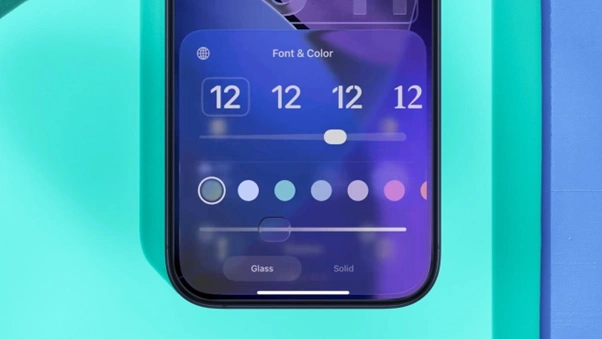
Liquid Glass launched with iOS 26 and drew mixed reactions. Some users liked the modern look, while others struggled with readability. Apple responded in iOS 26.1 by adding a global opacity slider. The new clock control in iOS 26.2 narrows that adjustment even further.
On iPadOS 26.2, the same Lock Screen options are available. Apple has also applied Liquid Glass visuals to apps like Measure and Level. Menu animations across the system now feel slightly more animated, though daily use remains unchanged.
AirDrop codes and stronger Reminders alerts
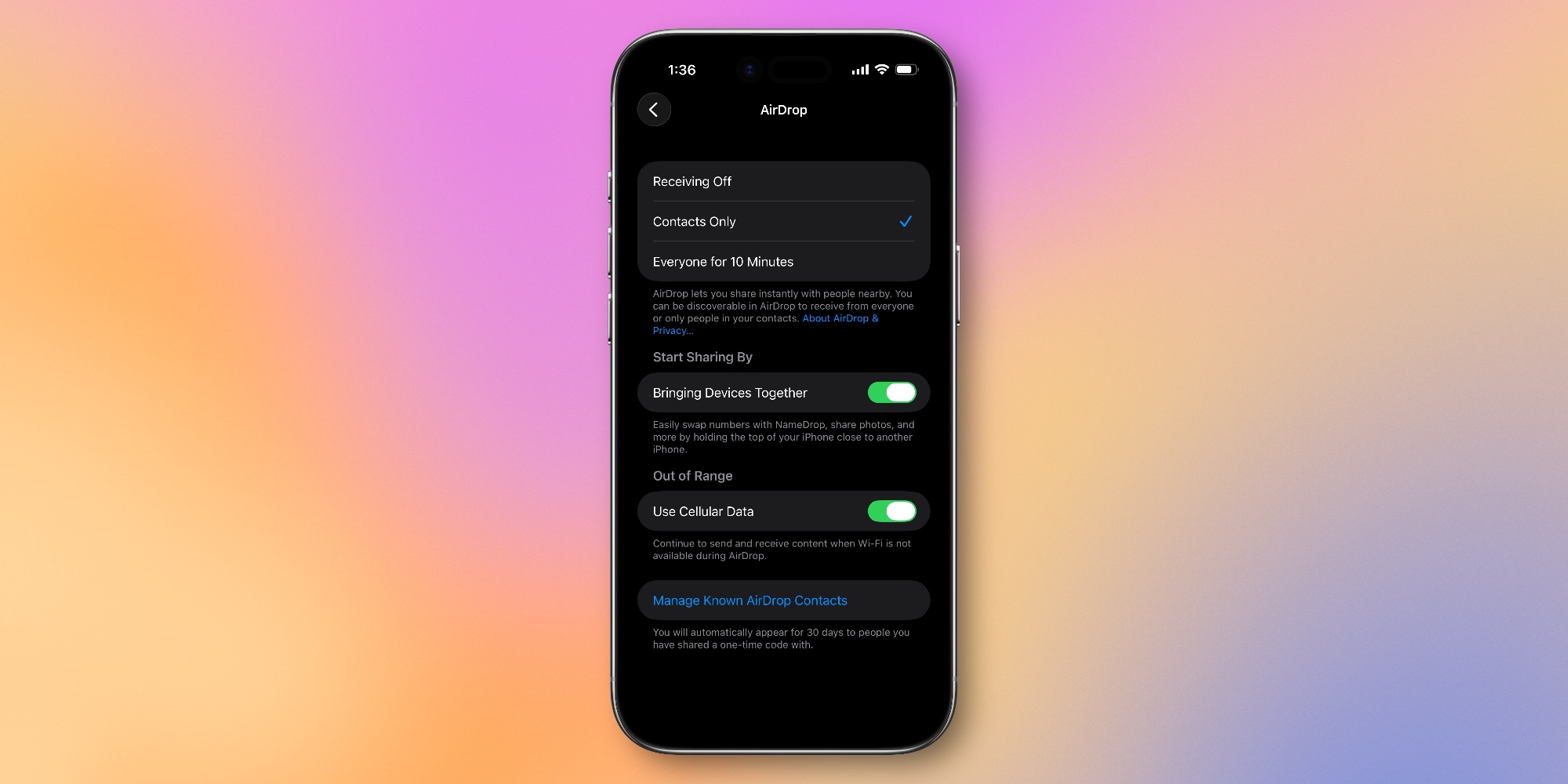
One of the more practical additions in the iOS 26.2 update is one-time AirDrop codes. These let users share files with people outside their contacts list. Once a code is shared, both devices can find each other for 30 days.
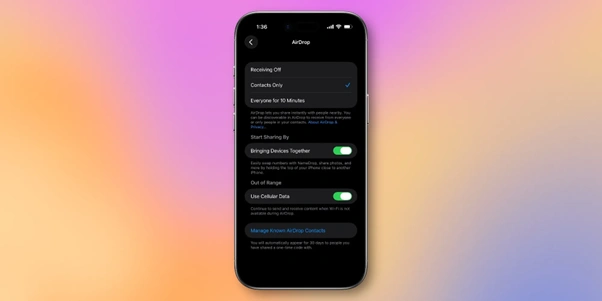
One-time AirDrop codes in iOS 26.2 let users share files with non-contacts for up to 30 days
This replaces the older setting that opened AirDrop to everyone for a short window. The new option works better for offices, schools, or short projects where adding contacts feels unnecessary. Known AirDrop contacts can be managed from the Settings app.
Reminders also receive a noticeable update. Tasks can now be marked as urgent, which allows them to trigger alarms at their due time. With permission, Reminders can schedule alarms that sound even during Focus modes, making missed tasks less likely.
Apple Music and Podcasts get a useful polish
Apple Music now supports offline lyrics for downloaded songs. Users can read lyrics without needing mobile data or Wi-Fi, which has been a frequent request from subscribers.
The app also surfaces the Favorite Songs playlist inside the Top Picks section. This change makes commonly played tracks easier to find without extra taps. These improvements appear on both iPhone and iPad.
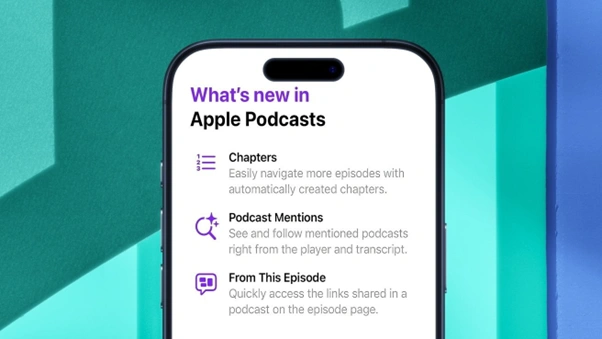
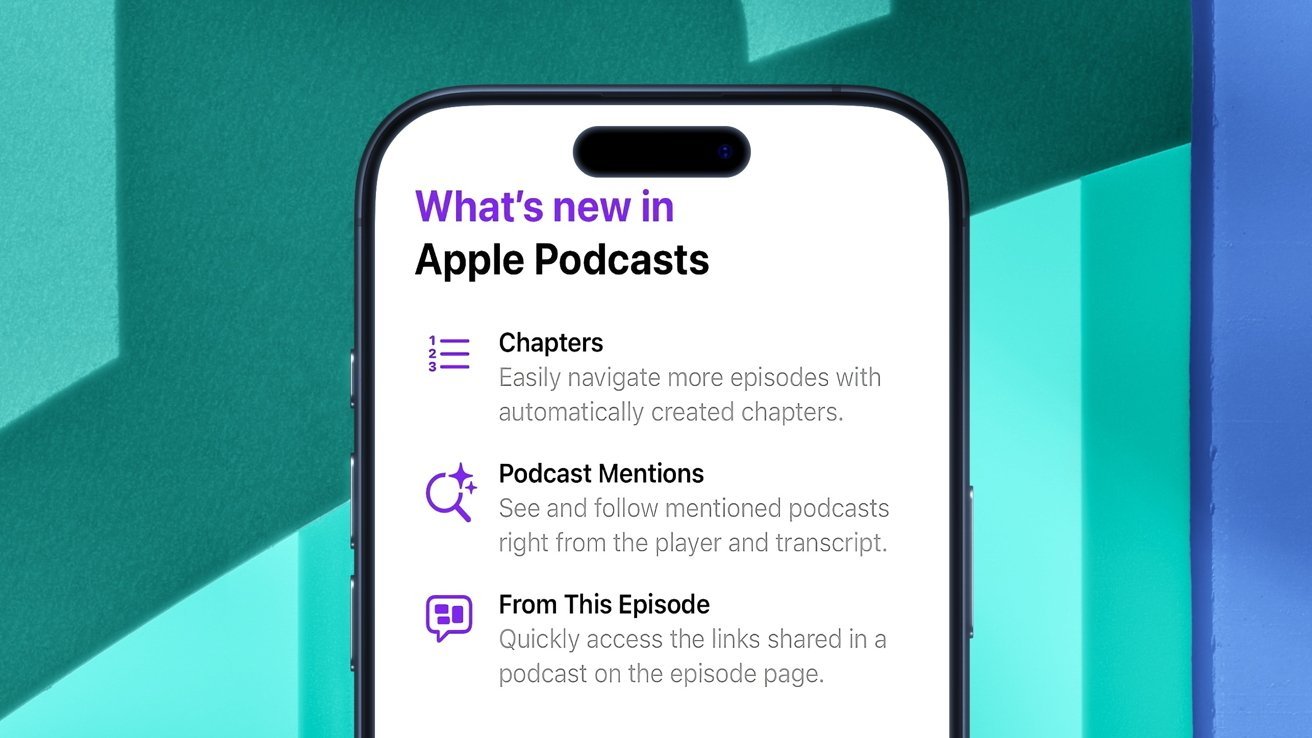
Apple Podcasts gains automatically generated chapters for English-language shows when creators do not provide them. Timed links now appear during episodes as well. When hosts mention other podcasts or resources, those links show up at the right moment.
Safety alerts and accessibility updates expand
Among the iOS 26.2 bug fixes and improvements is expanded Enhanced Safety Alerts in the United States. Apple says these alerts can warn users about events like floods or natural disasters. Some alerts include maps and safety guidance.
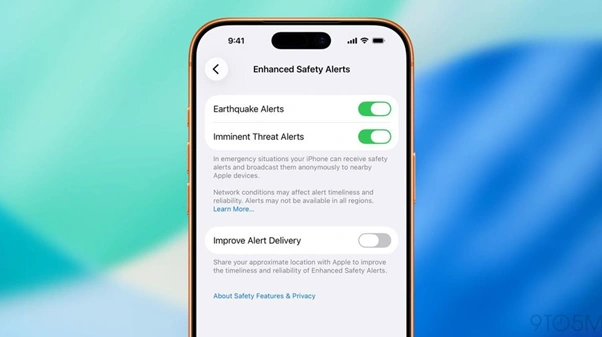
A related option called Improved Alert Delivery allows Apple to use approximate location data. This helps deliver alerts faster and more reliably. Users can control these settings within the Safety Alerts section.
Accessibility changes also arrive with this update. Users can enable screen flashing when notifications arrive. This option works alongside LED flashes and is designed to support users who rely on visual cues.
iPad multitasking returns, Watch gets refinements
Apple has restored drag-and-drop multitasking gestures in iPadOS 26.2. These gestures were removed earlier when Apple changed the windowing system. Users can once again move apps, tile windows, and create Slide Over views using familiar motions.
Beyond multitasking, iPadOS 26.2 includes the same Music, Podcasts, and Lock Screen changes found in iOS. Apple appears focused on keeping behavior consistent across devices.
On watchOS 26.2, Enhanced Safety Alerts mirror the iPhone experience. Apple also adjusted Sleep Score categories, slightly changing how scores are labeled without changing how sleep is tracked.
macOS Edge Light and tvOS profile changes
macOS 26.2 introduces Edge Light, a new video calling feature aimed at low-light conditions. The feature brightens the edges of the display to act like a soft ring light. It automatically avoids the area around the mouse pointer.
tvOS 26.2 brings smaller but notable changes. Apple TV users can now create profiles without an Apple account. There is also a new age-restricted mode that enforces content ratings based on profile settings.
visionOS 26.2 expands Travel Mode to cars and buses. Freeform now supports tables, and compatible accessories enable hand-drawn input in supported apps.
Also Read: Netflix’s New Crypto Comedy Explores Race to Recover Forgotten $35 Million Bitcoin Wallet
Security fixes and regional updates included
Apple has officially stated that multiple security patches will be offered through the iOS 26.2 update for its different devices. Among the fixes, there are some related to the vulnerabilities that are being exploited in attacks, which, thus, underline the importance of keeping devices updated.
There are also region-specific changes. Users in Japan can install third-party app marketplaces and assign other voice assistants to the Side button. Live translation for AirPods has now reached users in the European Union.
Overall, the iOS 26.2 update for iPhone and iPad focuses on steady refinements. With design controls, app updates, and security work, Apple continues its incremental approach to system improvements.